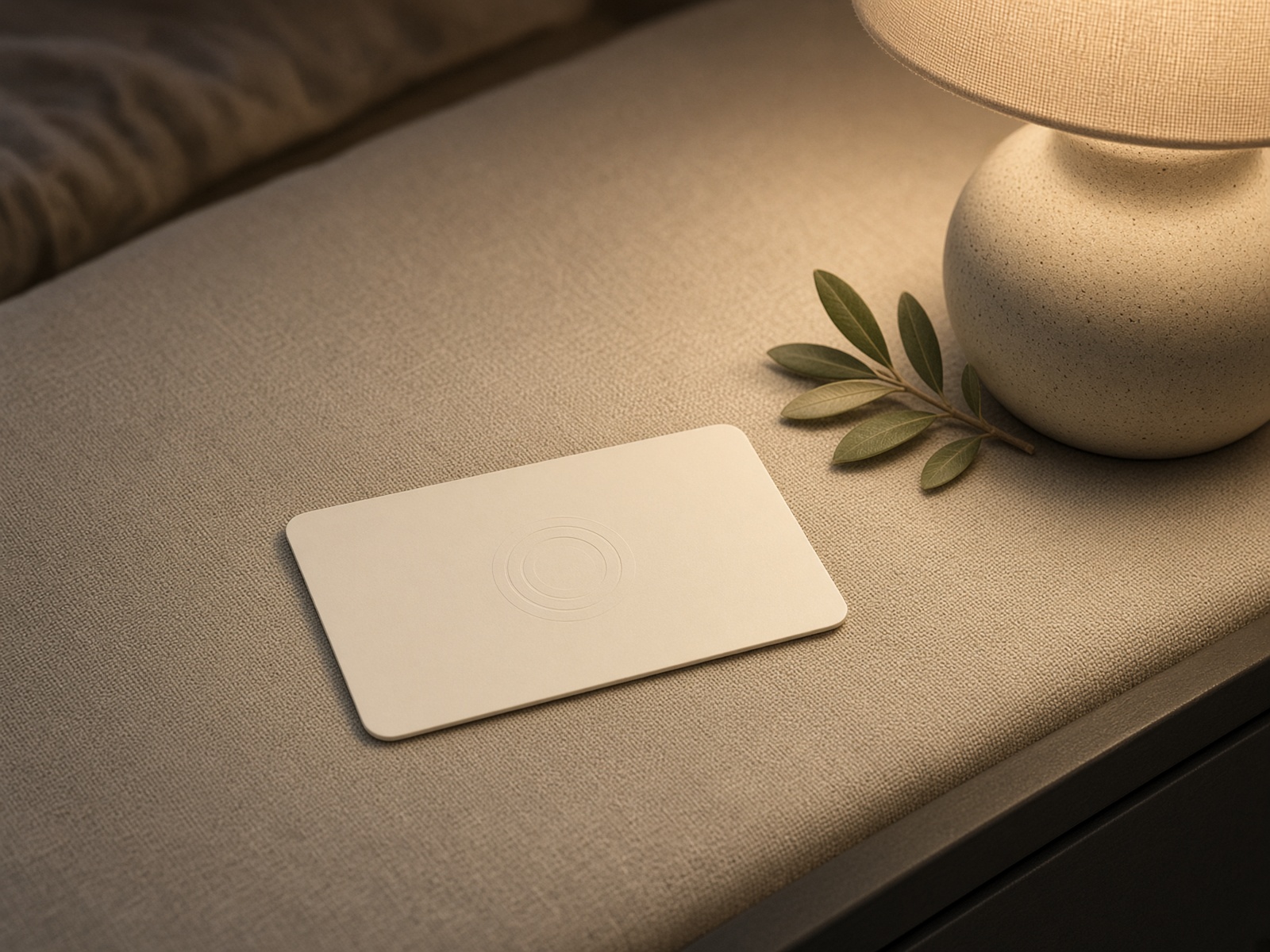
StayTap is a guest-feedback page for hotels. A tap or a scan opens a calm page for that property — not a jump straight to Google, and not a generic survey.
Prepared for
Date
Live demo
staytapguest.com/pacific-harbor
Sample property
Pacific Harbor Hotel (fictional)
Why this exists
Guests mean to review. Most never open Google.
The comment card is gone. Email surveys arrive after checkout. A small frustration often reaches Google first — because that is the only door left open. StayTap puts a better door at the front desk, the nightstand, and checkout.
The card never dumps a guest on Google
NFC and QR open a StayTap page named for your hotel. The guest chooses what happens next.
You keep your Google account
StayTap does not need the hotel’s Google password or Business Profile access. Review clicks go to your public review URL.
Private notes stay private
Feedback and assistance requests are not posted as reviews. Happy guests can still leave a genuine public review.
Nothing is filtered
StayTap does not hide ratings, suggest stars, or block a guest from Google. The system supports genuine feedback.
The guest journey
What a guest sees after they tap
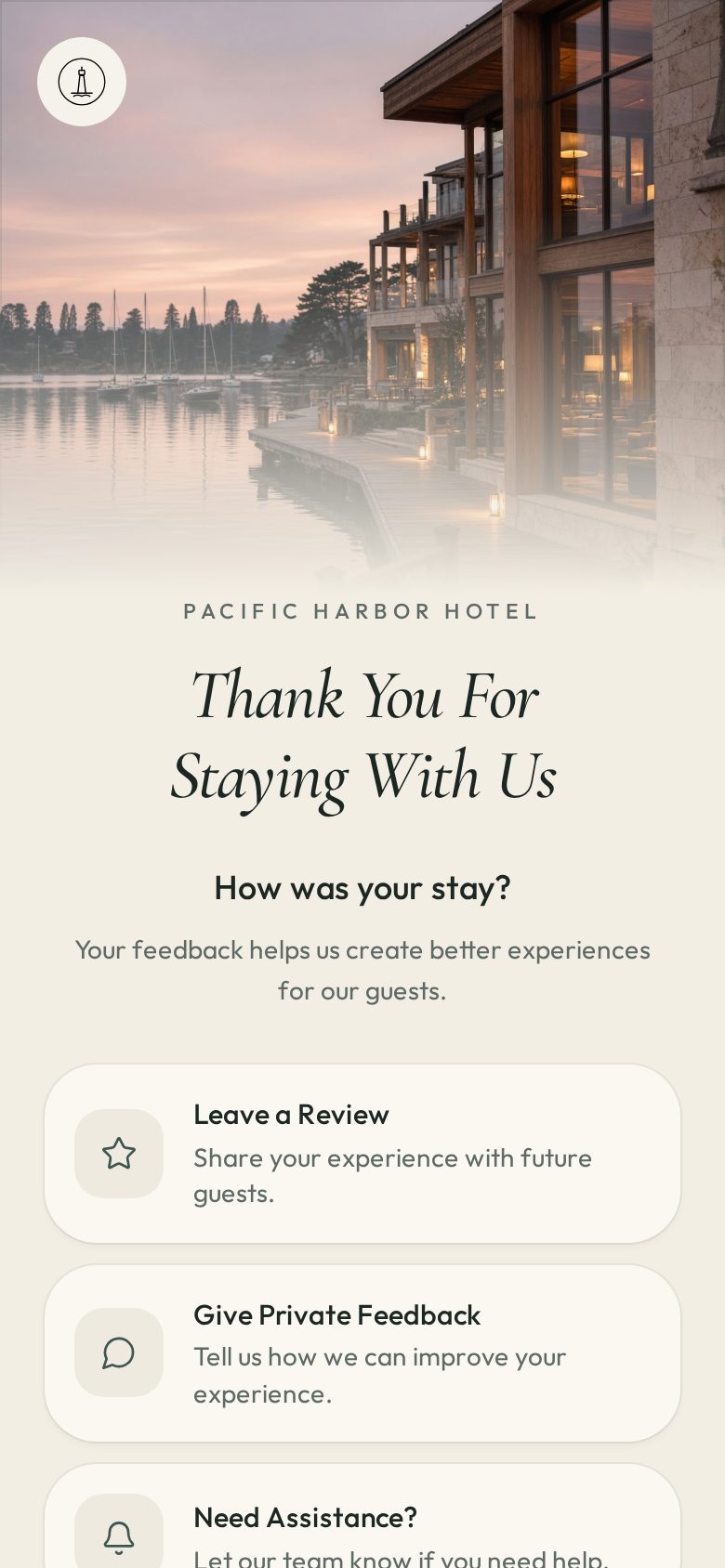
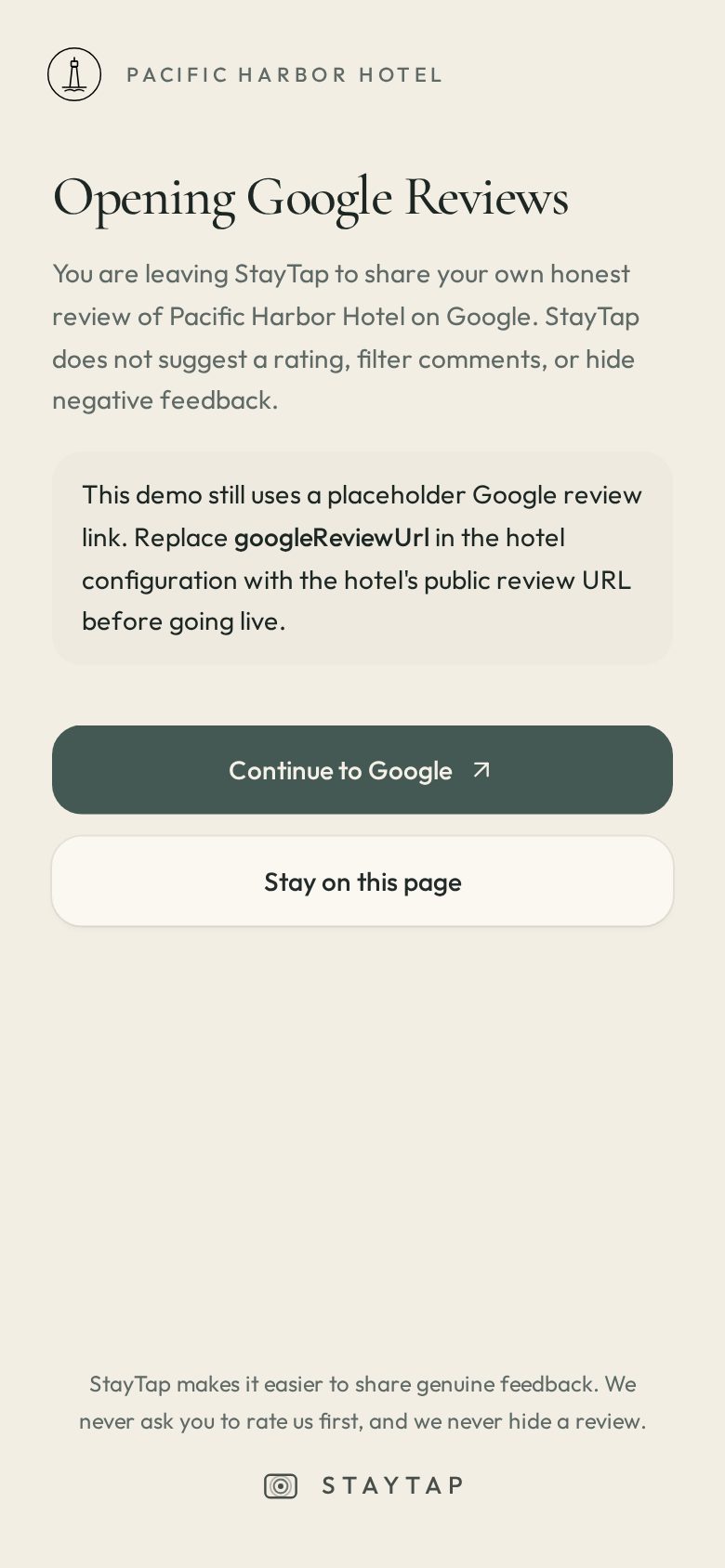
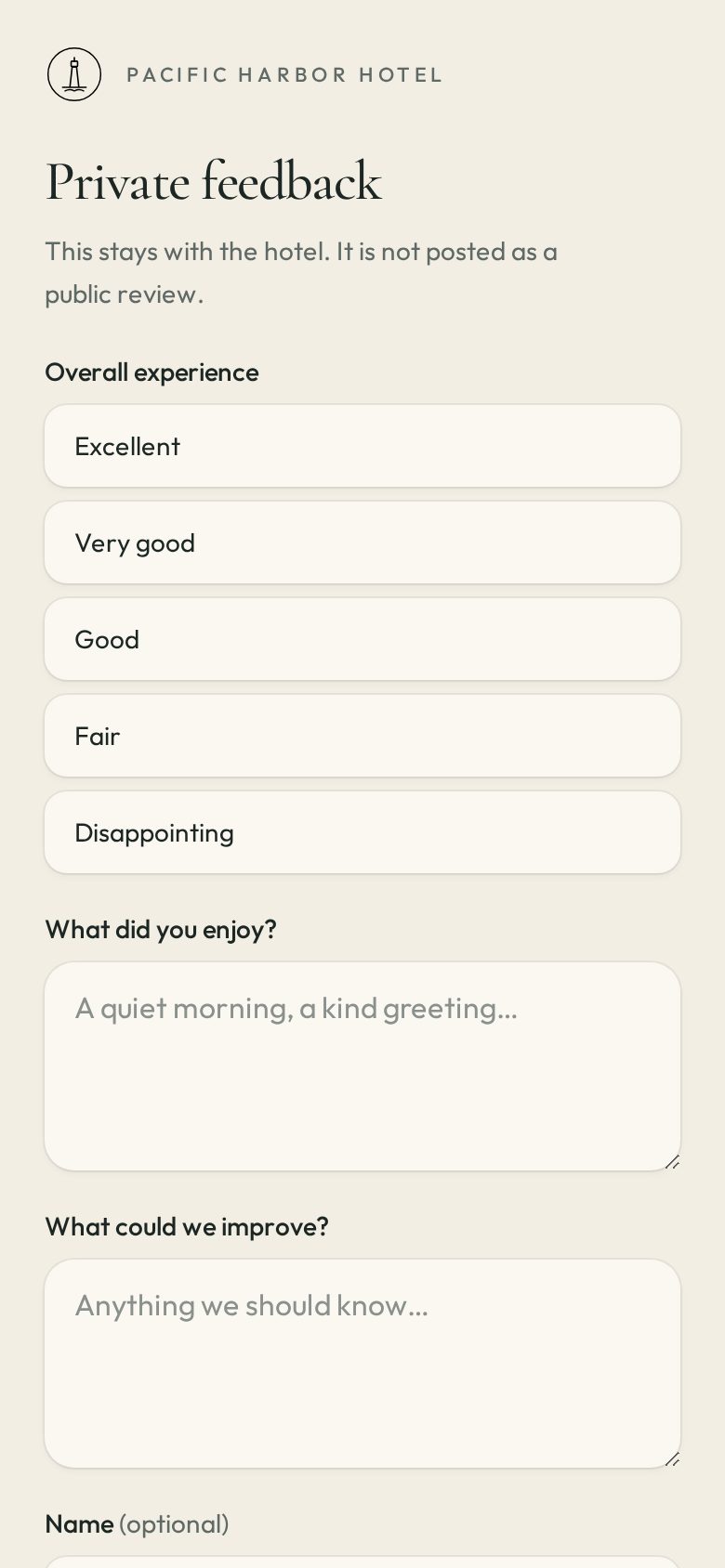
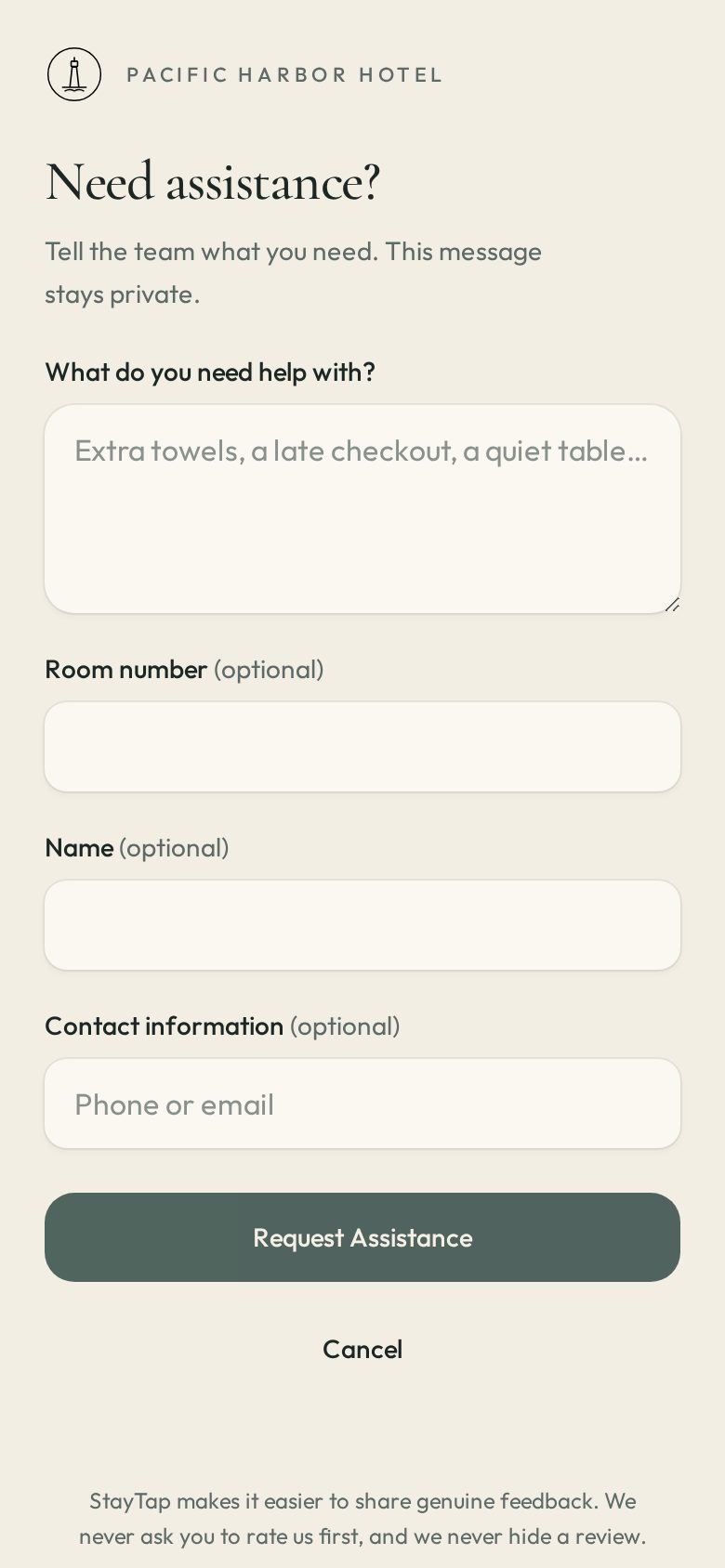
Screens from the live Pacific Harbor Hotel demo — a fictional coastal property used only to show the product. Open it on a phone: staytapguest.com/pacific-harbor
1. Thank you — then three genuine choices
2. Leave a Review opens the hotel’s Google page
3. Private feedback stays with the hotel
4. Need assistance — room number optional
On a live hotel, “Leave a Review” continues to that hotel’s real Google review URL. The demo still uses a placeholder until the property’s link is added.
At the property
A card that feels like the hotel
01
Place cards where guests pause
Front desk, checkout, and the nightstand. Each location can have its own link so you know which cards work.
02
They tap or scan
The card stores one website address — your StayTap page — never the Google review URL.
03
They choose how to speak
Public Google review, private note, or a request for help during the stay.
IT is not required. The hotel does not install software. StayTap prints and encodes the cards. You place them. Guests use a phone they already have.
What you receive
Engagement you can show in a Monday meeting
StayTap records taps and choices by hotel and location — without storing extra personal data in the weekly summary. Private comments are compiled for the general manager.
Taps
How many guests opened the page
Review clicks
Who continued to Google
Private notes
What they told you, not the internet
Weekly report — one page, emailed to the GM: volume, Google clicks, private comments, assistance notes.
Google Analytics 4 — live tap counts if you want them in your own GA4 property, or StayTap can hold the property.
Assistance (Startup Pro) — 24/7 guest service requests with priority monitoring.
24/7 guest service requests and priority monitoring are included with Startup Pro. Startup Basic still collects private feedback for the weekly report.
Sample · not a live property
Weekly report
Pacific Harbor Hotel · Week of 18 Aug 2026
Sample only
142
Page taps
61
Google review clicks
18
Private notes
4
Assistance requests
Where the cards sat
Location
Taps
Google
Private
Guest rooms
78
29
11
Front desk
41
22
4
Checkout
23
10
3
Private feedback (excerpts)
“Harbor-facing room was quiet. Coffee in the lobby could start earlier.”
“Checkout was fast. The hallway ice machine on 3 was empty twice.”
“Staff at dinner remembered our names. That is why we will return.”
Assistance during the stay
Extra towels (room 214). Late checkout question (room 118). HVAC noise (room 307). Lost charger (front desk). These would go to the duty manager the same day on a live property.
Investment
Pricing
Two packages. Month to month. No Google fees. No charge per review. Replacement cards are included.
One NFC card
Startup Basic
$49 setup
$100 / month
One encoded NFC card
Customized landing page
Google review link
Private feedback
Analytics
Weekly report
Basic maintenance
Free replacement cards
Multiple NFC cards
Startup Pro
$99 setup
$199 / month
Everything in Startup Basic
Multiple encoded NFC cards
24/7 guest service requests
Priority monitoring
Setup is a one-time fee to build the page and encode cards. Monthly service is per property. The hotel keeps its Google account.
Offer
30-day pilot
Thirty days on the property. Monthly fee waived. Setup is due when we encode the card so the hotel can try StayTap with real guests.
StayTap will
Build the customized landing page and Google review link
Encode one NFC card (Basic) or multiple cards (Pro)
Replace cards at no charge if one is lost or damaged
Send a weekly report and include analytics
On Pro: 24/7 guest service requests with priority monitoring
Hold a setup call and a day-30 review
The hotel will
Return the onboarding form and choose Basic or Pro
Pay setup: $49 Basic or $99 Pro
Place the card(s) where guests pause
Keep its own Google Business Profile — StayTap never logs in
Write to continue or stop before day 30
Timeline
Day 0 — Form and setup fee received.
Days 1–3 — Page designed, Google URL tested on a phone.
Days 4–6 — Card(s) encoded and delivered.
Day 7 — Live on property. First weekly report seven days later.
Day 30 — Continue at $100 / month (Basic) or $199 / month (Pro), or stop. No monthly invoice if you stop.
This page is an offer, not a loan or a software license in legal form. A short confirmation email is enough to start. No exclusive term. The hotel may remove cards at any time.
Onboarding · page 1 of 2
Hotel onboarding
Print and complete, or type on staytapguest.com/packet and print. One form per property.
Google review URL: the public “Write a review” link for this property. StayTap does not need a Google password. If you do not have the link, we will help you find it on a phone together.
Onboarding · page 2 of 2
Cards, look, and signature
Where cards should sit · quantity
Look
Pilot
I ask StayTap to build a guest page for this property under the 30-day pilot. Setup is $49 (Startup Basic, one card) or $99 (Startup Pro, multiple cards). The monthly fee is waived for 30 days, then $100 / month (Basic) or $199 / month (Pro) unless we write to stop. I understand StayTap does not filter Google reviews and does not require our Google password.
Return to StayTap · staytapguest.com · Attach logo if you have one.
Notes for the general manager
What StayTap will not do
Will not send guests straight to Google. The card opens your StayTap page first.
Will not filter, hide, or rewrite reviews. If they choose Google, that is their review.
Will not ask for the hotel Google password.
Will not create fake reviews or pay for ratings.
Will not replace your existing survey if you still want it. StayTap sits beside it.
Try it now
Open staytapguest.com/pacific-harbor on your phone. That is the guest portal. The same flow will carry your hotel’s name and Google link.
STAYTAP
staytapguest.com
Partner packet · Pacific Harbor screens are a fictional demo · Pricing valid for new pilots in 2026 · Startup Basic $49 + $100/mo · Startup Pro $99 + $199/mo